
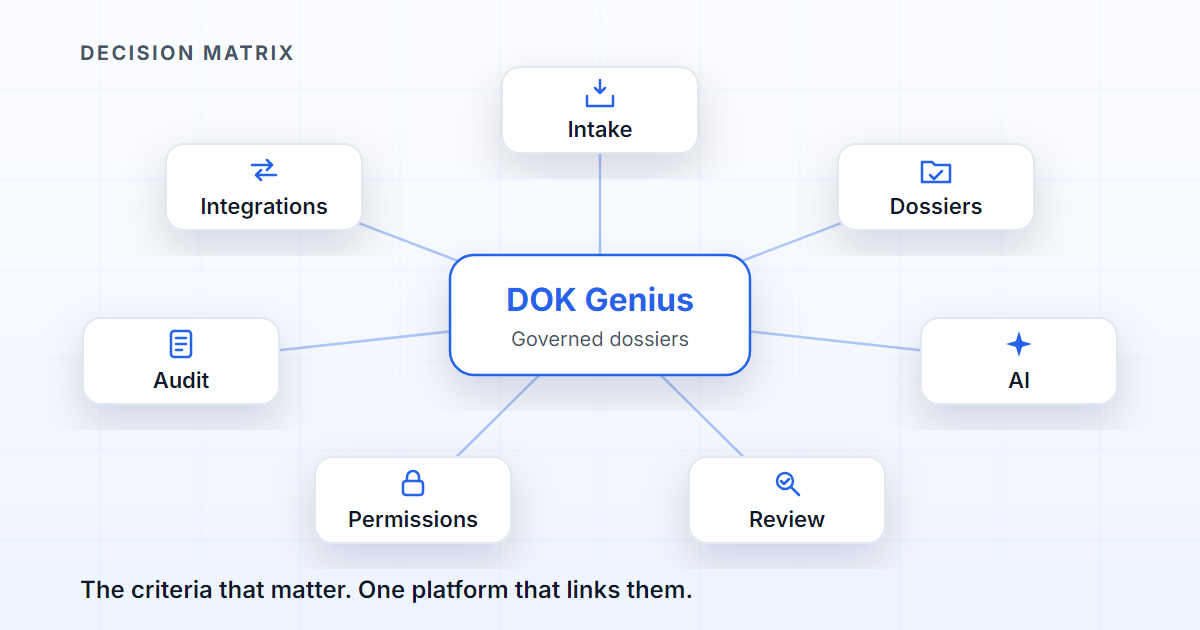
Choosing document management software in 2026 is no longer just choosing where to keep files. The right choice is the platform that can answer seven questions about every document: how it arrived, how it was classified, who may see it, what information was extracted from it, what human review took place, what decision was made and what evidence remains for an audit. A platform that answers only the first is selling storage, which may be enough, as long as you know what you are buying.
The right question is not “where are we going to file documents?” but “which processes depend on those documents, and how much control do we need over them?”.
First: storage or process?
If the main need is to keep, version and share files, a traditional document management system may be enough. SharePoint is good at libraries, co-authoring and versions; Excel is hard to beat for tracking a list that one person controls; e-mail moves documents between organisations without anybody installing anything. None of these tools is wrong; they simply answer the first question.
The problem changes size when the team has to track mandatory documentation, block incomplete submissions, review exceptions, approve decisions, renew expired documents and hand the result to external systems. Then look for a platform of governed dossiers: every case is born knowing what it must hold, who may open it and what has happened to it. We have explained what document governance is, and what it is not; this guide is about choosing the tool.
Criteria for evaluating an AI solution
A good AI solution should meet these eight criteria. Each row is a question to ask in a demonstration.
| Criterion | Why it matters |
|---|---|
| Multichannel intake | E-mail, scanner, API, portal and upload, in one queue. |
| Expected documents | Know what is missing, not just list what arrived. |
| Fields in context | Extract per process, document and attachment. |
| Human review | Exceptions and low confidence go to a person. |
| Per-document confidentiality | Its own rules inside the same dossier. |
| Auditable evidence | Prove decisions, sources and validations. |
| External integrations | The result reaches the business systems. |
| AI with permissions | Answer only from what the asker may open. |
Two of these are the most misjudged. “Expected documents”: almost every tool shows what it received; few can say that an onboarding case has three mandatory documents and only two arrived. “AI with permissions”: permissions have to be applied when the passages are selected, not when the answer is displayed; a document the asker could not open must not enter the model's context. Ask for the sources behind each answer, then ask a question that touches a restricted document from an account without access. It is the cheapest test in the whole purchase.
Where DOK Genius is different
DOK Genius organises documents as part of a process. Each dossier is created from a process that defines the expected documents, the fields, the checklist, the approvals, the review rules and the external operation that closes the case. A newly opened dossier is not empty: it is the list of what is missing, and a submission missing a mandatory document is refused when somebody tries to move on.
This makes the AI more useful, because the model has context: it knows what type of document it is analysing, which dossier it belongs to, which fields matter and which access restrictions it has to respect. When the reading is not safe — confidence below the threshold, an unexpected document type, a rule that demands validation — the case is held in Quality Review, where a person approves, returns it for correction or rejects it, with the reason recorded. The AI proposes; the person decides.
Not everything exists today, and that matters. Today documents arrive by upload and by API into a queue with human review; access is controlled by organisation unit and permission; validity is recorded document by document, with the expired ones listed separately; the audit trail has existed from day one. Four capabilities are on the roadmap: e-mail and scanner intake for every organisation, per-document confidentiality inside the same dossier, document renewal campaigns and the compliance evidence pack. The integrations and the security model have their own pages; the full list is under features.
Questions to ask before you buy
Before choosing, ask — and ask to see the answer on screen, not in a slide deck:
- Does the platform know which documents are missing, or only list the files received?
- Can it block progress when mandatory documentation is missing?
- Does the AI show sources and evidence?
- Is there human review for exceptions?
- Can I restrict access to one document inside a dossier?
- Does the system track document validity and renewal?
- Does it integrate with the systems where the decision has to land?
An honest answer includes a “not yet” here and there; be suspicious of a vendor who says yes to everything.
When to choose DOK Genius
DOK Genius suits organisations where documents are the engine of the process: insurance, compliance, human resources, regulated operations, financial back office, customer onboarding, audits, and every process in which the absence of the right document delays or compromises the decision.
If the organisation only needs a library of files, a generic tool may be enough. If it needs to turn documents into a governed flow, DOK Genius was designed for that.
FAQ
Does AI document management software replace people?
It should not. The best architecture combines AI to speed up reading, classification and extraction with human review, approval and evidence whenever the risk demands it.
What does “governed dossier” mean?
It is a structured set of documents, fields, states, rules, approvals and history attached to a business process — a folder that was told what it is for.
Is DOK Genius an alternative to SharePoint?
It can be an alternative or a complement. SharePoint is a good file library and collaboration space, and many organisations will keep using it. DOK Genius answers a different need, the governed document process, and the two can coexist.
What is the best AI document management software?
There is no best for everyone. To keep and share files, use the tool your team already has; to control processes that depend on documents, choose the platform that passes the eight criteria above with your documents and your permissions.