
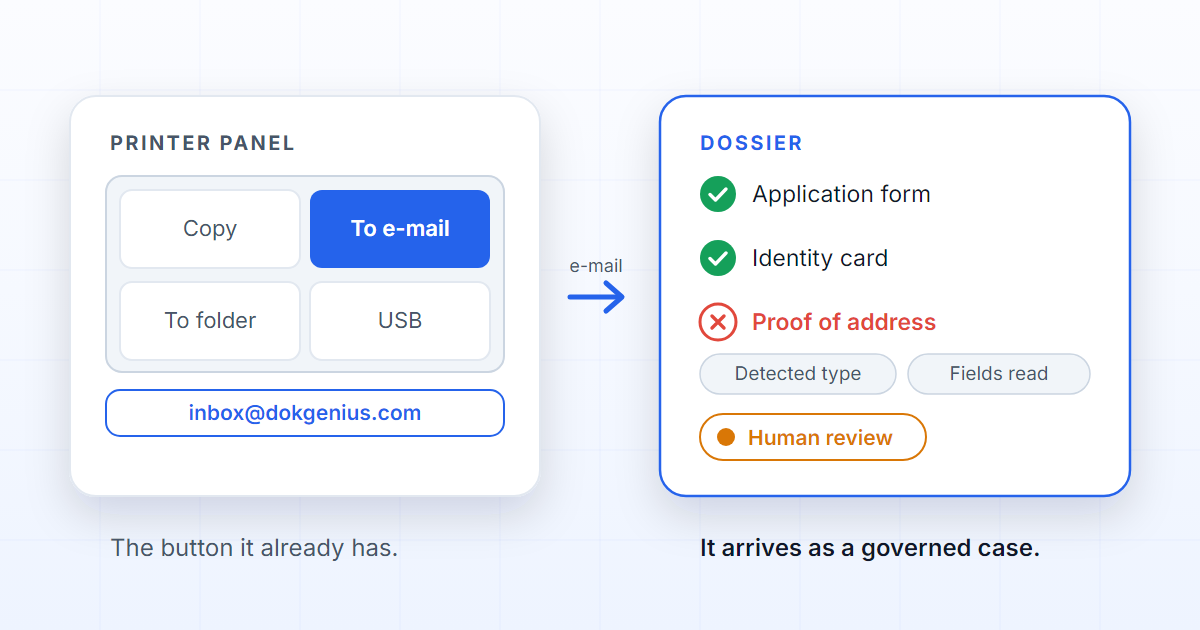
The embedded app on the multifunction printer's panel — the one everybody pictures when they want to scan straight into a document management system — is unnecessary. Every office multifunction printer already has “scan to e-mail”, and that is the integration protocol: point that button at inbox@dokgenius.com and the scan stops being a PDF in search of an owner. Nothing to install, no app to approve, no firmware to update across a fleet.
What decides the outcome is not what you install on the machine. It is what exists at the other end of the address.
The context exists at the counter and dies at the button
Whoever puts the paper on the glass knows everything: whose it is, what it is for, which case it belongs to, what comes next. They hold that context exactly once — when they press the button.
“Scan to e-mail” and “scan to folder” do well what they were built for: they turn paper into a file in
seconds, with nothing installed and no training. What they do not do is keep that context. Out comes a file
called scan0001.pdf, what the person knew stays at the counter, and somebody with less information has to
reconstruct it later. That is why, in these organisations, scanning is not the start of automation but the
end of it.
| Where the button sends it | What exists a minute later |
|---|---|
| A colleague's mailbox | An attachment waiting for whoever reads it |
| A shared folder | A file with an automatic name, no status |
| The platform inbox | A dossier opened in the right process |
Three questions somebody has to answer
Process-driven scanning needs three answers before the file has a place:
- Which process? An enrolment, a claim, a hiring — the rule that says what a case of this kind requires.
- Which expected document? Which of the positions that process prescribes this paper fills: the identity document, the proof of address, the signed contract.
- Which dossier? A new one, or one already open that is missing precisely this piece.
The person at the counter knows all three; the button does not ask. And this is where the problem changes shape: those answers need not come from a form on the panel, they can come from reading the document itself. Asking the paper is more reliable than making somebody choose on a seven-inch screen. If the difference between a folder and a dossier is not yet obvious, this article explains it.
The sender decides the organisation; the subject decides nothing
The first decision every message forces is the one that matters most: which organisation this belongs to. That decision comes from the sender's address, matched against the organisation's users. One match and the document proceeds; none, or more than one, and it is held for a person, with the reason recorded.
The subject line plays no part in it, and that is not an oversight: it is self-declared, and writing a company's name on a subject line must never be enough to inject a document into that company's dossiers. It is a security decision, not a temporary limitation.
That is where the single configuration step comes from: the printer has to send from an address the organisation recognises — the address of the person scanning, when the machine supports signing in at the panel, or the device's own, if registered as a user. Registering device addresses per organisation, for fleets, is on the roadmap.
Between the glass and the dossier
Once the message arrives, each attachment becomes a document of its own — up to twenty per message, 25 MB each — and enters through the same door as the API and manual upload, with the same storage and rules. The accepted formats are the ones a panel produces: pdf, png, jpg, webp, tif, heic, docx, xlsx, pptx and txt.
The system then reads the text, compares the document against that organisation's processes and proposes a destination. When the match is clear, the dossier is created from the process: the expected documents materialised, the default team, the organisational scope, and the file filed in the right position. The detected type stays as a tag and the text already read travels with the dossier. The dossier is born in “New”, waiting for somebody to take it on.
When the match is not clear — a low score, two equally likely processes, or a process with nowhere to receive that file — the document waits in the review queue with the reason recorded. Nothing is guessed, nothing discarded. The manual chapter on document intake shows that queue; the case for stopping is in How to automate document intake.
The single click, and where the line is
The promise at the counter is one click: paper on the glass, button, case done. One click is only enough when everything else was decided beforehand — by the process, which says what is required; by the sender, which says whose it is; and by the reading, which says what it is.
Where the line sits today: the dossier is born with the expected documents in place, the file archived and the type identified, but two pieces are missing. Filling the dossier's fields with what the reading extracted from the document is on the roadmap, and closing on its own a dossier that is missing nothing — the single click in the literal sense — is on the roadmap. The roadmap follows it.
Until then, the distance between the counter and a governed case is one line in the machine's address book.
FAQ
Do I have to install anything on the printer?
No. All the machine needs is an e-mail address, in the same address book it already uses to send scans to colleagues. No panel app, no driver, no firmware to update.
My printer sends from its own address. Does that work?
It does, as long as that address is registered as a user of the organisation: it is how the system knows whose document arrived.
Can I scan several documents at once?
Yes. A scanning session can be cut into several documents before anything is filed: by the separator sheet the product prints, by a barcode or QR code on the first page of each case — its value becomes the document's origin identifier — or by a fixed number of pages. The cuts are previewed and corrected by hand before confirming, a separator sheet never appears in the result, and each document then enters the intake like any other. Different pieces of the same case can travel in one message, since each attachment becomes a document.
What if the system cannot tell what arrived?
It stops. The document waits in the review queue with the reason recorded, and a person confirms, corrects, discards or creates the dossier by hand. Re-sending the scan in the meantime does not create a duplicate.